
File Formats
Choose between CSV, Parquet, NRD, and Stats based on the workflow you actually want to run.
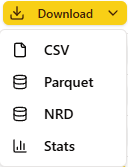
Every purchased day can be retrieved in four outputs: CSV, Parquet, NRD, and Stats.
Use this section to choose the right one before you start downloading in bulk, scripting against the SFTP tree, or building a workflow around the wrong file type.
Choose By Goal
| If your goal is... | Start with... | Why |
|---|---|---|
| open files in the widest range of tools | CSV | text-based, easy to inspect, easy to convert |
| analyze larger datasets in Python, DuckDB, Polars, or pandas | Parquet | typed, columnar, faster to read, better for analytics |
| stay in a NinjaTrader-oriented replay workflow | NRD | native tick and replay delivery format |
| inspect summaries, quality signals, and hourly or daily aggregates first | Stats Files | fast JSON companion without pulling the raw tape first |
What Changes And What Does Not
These pages describe four outputs of the same purchased dataset.
- The
symbol,expiration, and file day stay the same. CSVandParquetrepresent the raw event stream for that day.NRDis the platform-oriented replay file for the same day.Statsis the companion summary, not the raw event stream.
Across the raw formats, two conventions matter:
- the file name day such as
20250601represents the market day grouped inAmerica/New_York - timestamps inside the raw files are stored in
UTC
The Short Version
- Choose CSV if compatibility matters more than efficiency.
- Choose Parquet if you are doing research, analytics, or large pulls.
- Choose NRD if the destination is NinjaTrader replay, not a generic data pipeline.
- Choose Stats Files if you want metadata, quality checks, and aggregates before touching the full raw file.
Continue With The Matching Workflow
- Web Download if you are pulling a few files manually
- SFTP Download if you need folder-based or repeatable transfer
- NinjaTrader if the destination is replay
- Python Analysis if the destination is research or analytics